Powercut firmware corruption WD40EFRX-68N32N0
Posted: 30 Jun 2026, 07:47
Privet,
I've gone down a rabbit hole with an old WD Red drive that failed in a powercut a long time ago. This is purely hobby, the drive has floated around my workshop for years and i'm off work for a month so i tried to see what i can do with it. After the powercut the drive does a repeat sequence of reads and locks up whatever machine is connected to, it does eventually stop making reads and unlocks the pc to continue booting. It is not detected in bios, however windows detects it. I believe it might be in kernel mode? as it shows with LBA unavailable and 2 sectors or 2tb available depending on what software i use (it is a 4tb drive). It also reports as uninitialized. My guess is it might be a firmware corruption on the disk, however i am very inexperienced at the lower level software workings of these types of harddisks. I have used the demo version of ARCH7 to try and find out more. Here are the steps i took:
I couldn't see the drive in WinAPI ATA, so i sellected SATA/AHCI, i ran detect on the first port address and this showed an unidentified drive on the first port. I clicked ROM > Read ROM and i could now see the correct model number appear (previously not visible).
I tried S/A operations > Modules operations. This puts the drive in the read loop for a few minutes and returns 0 modules on the window that eventually appears. The error: Error reading module Dir, state - OVM_PERMANENT_NOT_LOADED shows up
I then tried Modules Operations (Do not read dir) and manually entered the range $0001 to $0100 and clicked Find modules in the range. This found me 7 modules (0A, 0B, 0D, 4F, 5D, 30 and 47). I admit that i used AI to go through these readouts and i was informed by AI the Head map (0A) and the Translator appear to be corrupted.
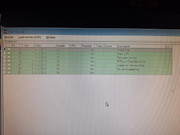
Here is the list of modules that showed up:
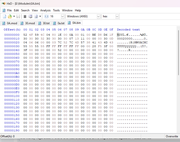
Here is a screenshot of the hex output of 0A (headmap)
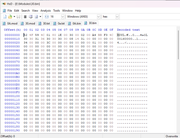
Here is a screenshot of the hex output of 30 (Translator)
I myself wouldn't know what i'm looking at so this is the point where i thought i better ask. I am contemplating purchasing a month license for the software to have a play, however i've been warned it will most likely not bring the drive back. I am happy to spend the money regardless if there is a real chance the drive might be salvageable. Please advice
I've gone down a rabbit hole with an old WD Red drive that failed in a powercut a long time ago. This is purely hobby, the drive has floated around my workshop for years and i'm off work for a month so i tried to see what i can do with it. After the powercut the drive does a repeat sequence of reads and locks up whatever machine is connected to, it does eventually stop making reads and unlocks the pc to continue booting. It is not detected in bios, however windows detects it. I believe it might be in kernel mode? as it shows with LBA unavailable and 2 sectors or 2tb available depending on what software i use (it is a 4tb drive). It also reports as uninitialized. My guess is it might be a firmware corruption on the disk, however i am very inexperienced at the lower level software workings of these types of harddisks. I have used the demo version of ARCH7 to try and find out more. Here are the steps i took:
I couldn't see the drive in WinAPI ATA, so i sellected SATA/AHCI, i ran detect on the first port address and this showed an unidentified drive on the first port. I clicked ROM > Read ROM and i could now see the correct model number appear (previously not visible).
I tried S/A operations > Modules operations. This puts the drive in the read loop for a few minutes and returns 0 modules on the window that eventually appears. The error: Error reading module Dir, state - OVM_PERMANENT_NOT_LOADED shows up
I then tried Modules Operations (Do not read dir) and manually entered the range $0001 to $0100 and clicked Find modules in the range. This found me 7 modules (0A, 0B, 0D, 4F, 5D, 30 and 47). I admit that i used AI to go through these readouts and i was informed by AI the Head map (0A) and the Translator appear to be corrupted.
Here is the list of modules that showed up:
Here is a screenshot of the hex output of 0A (headmap)
Here is a screenshot of the hex output of 30 (Translator)
I myself wouldn't know what i'm looking at so this is the point where i thought i better ask. I am contemplating purchasing a month license for the software to have a play, however i've been warned it will most likely not bring the drive back. I am happy to spend the money regardless if there is a real chance the drive might be salvageable. Please advice